
A3 Presentation Grid System for InDesign
Landscape
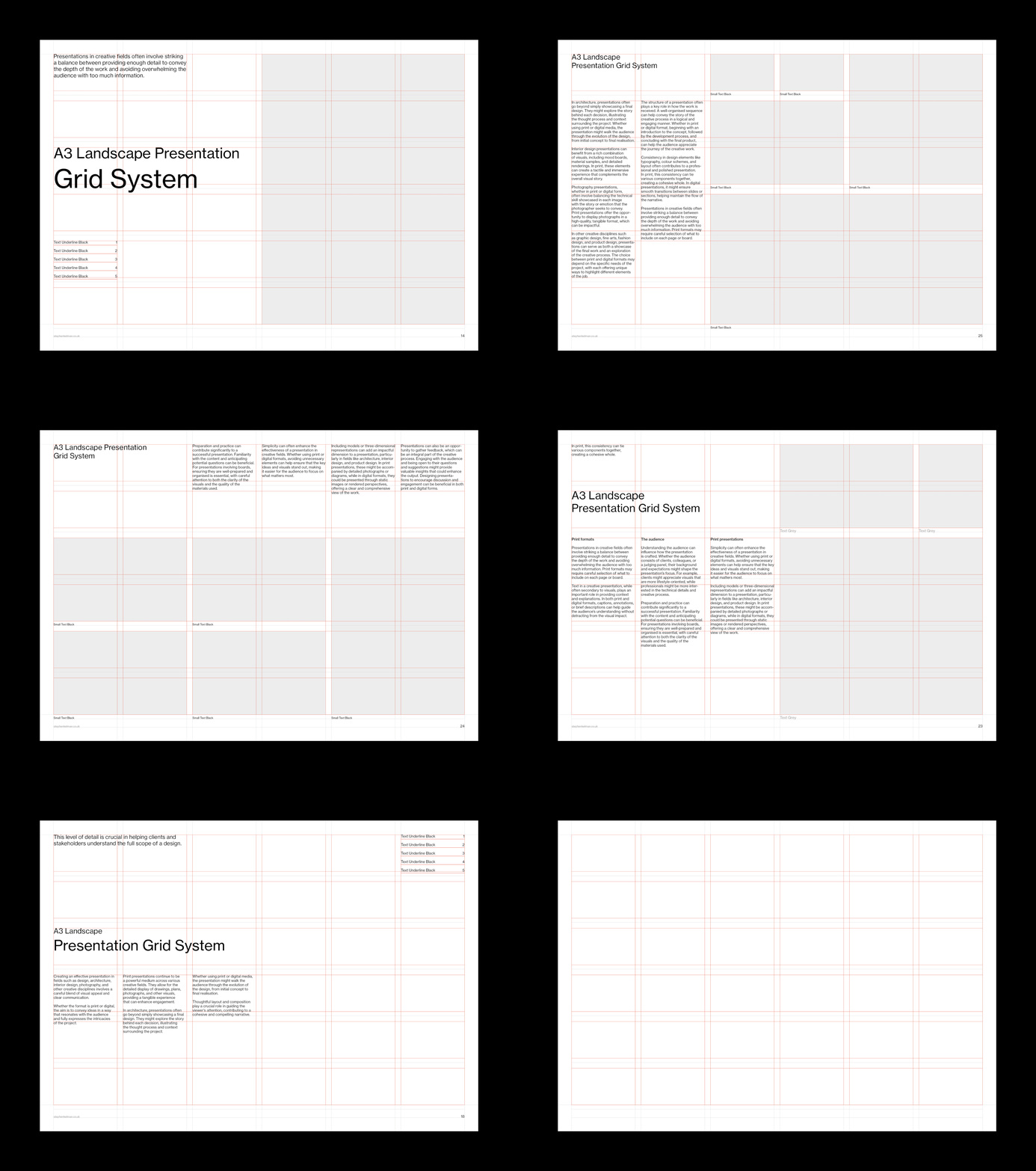
Features
— Image caption grid
— 36 field modular grid
— 11.5 pt baseline grid
— Comprehensive style sheets
— Proportional leading
— Sample layouts

This A3 landscape Swiss-style typography grid template offers designers, photographers, architects and creative professionals the perfect platform for project boards, posters, and content-heavy presentations. The system is ideal for showcasing large visuals and design concepts, prioritising clarity and ease of use.
This project is part of a wider set of grid systems in A-Series, North American and digital formats.


Questions
What is a presentation grid system?
A presentation grid system is a pre-built structure of fields, margins and baselines that keeps every board or deck slide consistent – type sits at the same sizes, images align to the same edges, and the whole set reads as one piece of work rather than a collection of pages.
Why use a grid system for presentations?
Presentations can be judged in seconds. A grid does the composition work in advance – this one divides the A3 sheet into 36 fields on an 11.5 pt baseline – so decisions about placement become quick and repeatable. The time saved can go into the content itself.
What is an A3 landscape presentation used for?
Project boards, design concept presentations and pin-up reviews – formats where work is viewed at arm’s length rather than on a screen. A3 landscape gives large visuals room to breathe, which makes it particularly popular with architects, photographers and design studios.
What makes a good grid-based presentation layout?
Consistent margins on every board, one type scale used throughout, and images sitting on the field boundaries rather than floating free. The sample layouts above show a consistent system applied with placeholder imagery. As I often repeat in my tutorials, we’re looking to reduce the number of eyeballed decisions on each page – this grid system helps you do just that.